
Tri-Fold Flyer Printing: Panel Widths, Reading Order and Artwork Proofs
A tri-fold flyer seems like a simple way to turn one sheet into six panels, but the fold changes how people read it. The apparent left-to-right order of a flat artwork file is not always the order a customer sees when unfolding the finished piece. On a roll fold, one panel must also tuck inside the other two, which changes its practical width. A good design starts with a folded paper dummy instead of a six-box layout copied from a screen template.
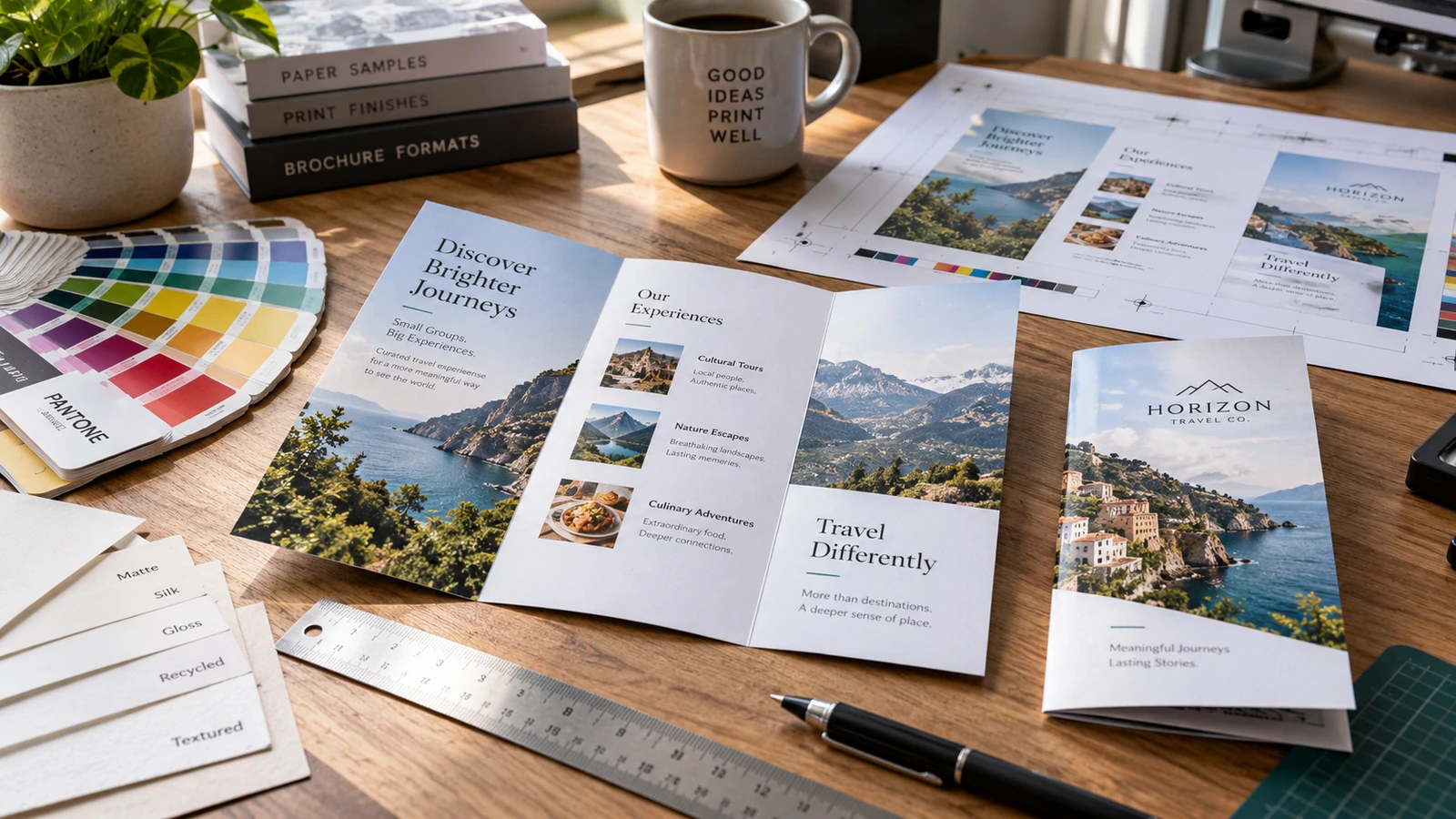
Identify the actual fold before making panels
The phrase “tri-fold” can refer to different constructions. A roll fold brings one side panel inward and the other over it; a Z-fold creates a concertina shape with alternating directions. The opening experience is different, so the cover, back and internal reading order change. Select the fold based on how a customer should discover the message, rather than choosing only from a flat six-panel template.
Take one piece of plain paper, label every panel and fold it into the proposed structure. Mark the front cover, back and inside flap, then open it as a reader would. This takes a minute and prevents one of the most common errors: putting a headline on the outside back when it was intended for the first inside reveal. Share a photograph of the dummy with the designer and printer.
Allow for unequal widths on a roll fold
A panel that folds inside must usually be slightly narrower than the others so it can close without buckling. The required difference depends on the folded dimensions, paper thickness and finishing process; it is not wise to guess from an online template. Request the exact flat-size and panel-width diagram from the supplier. Z-fold panels can follow a different layout, so do not reuse roll-fold measurements without checking.
Place the guide lines and fold positions on a separate non-printing reference layer. On a long DL-style leaflet, a small width error becomes obvious when the inside flap catches. If the material is thick or laminated, folding behavior needs additional attention. A proof printed on ordinary office paper can confirm reading order, but it may not predict how a heavy production stock will close.
Design a clear reading sequence
Treat the cover as an invitation to open, not as a compressed summary of all services. The inside sequence should answer the next natural questions: what the offer is, how it works, what it costs or requires, and how to respond. A QR code or phone contact may belong on the back so it remains available when the leaflet is closed. Plan one main visual message per panel rather than filling all six with equally dense text.
Use deliberate hierarchy. A short headline, restrained body copy and one visual anchor are easier to navigate than multiple competing callouts. When a photograph crosses a fold, check whether a face, product or word is bisected awkwardly. An abstract background can extend across panels more safely than a product photograph with a critical subject at the crease. The physical dummy reveals these problems much sooner than a flat PDF preview.
Protect type from trim and fold stress
Bleed allows background artwork to continue beyond the trim, while a safe area protects essential content from cutting variation. Fold positions need their own visual clearance because tiny text placed directly along a crease becomes difficult to read and may crack in certain finishes. Ask the printer for its requirements instead of applying an arbitrary universal margin. Check that fold guides will not print on the finished piece.
Avoid placing a continuous line of small text across two panels where the fold interrupts every sentence. If a large title intentionally spans the inside spread, test it on a folded proof so the reader can still understand it when the piece lies partly open. Pay attention to coated stocks and dark full-bleed backgrounds; creases can reveal an unattractive light line if the finishing method is not suitable.
Choose paper and finish for the distribution method
A flyer handed out at a trade counter may need a different stock from a premium sales brochure given during a meeting. Heavier stock may feel substantial but can make a tight fold less flexible. Lighter stock can pack compactly for bulk distribution, although it may show through if dark artwork appears on both sides. Compare samples with the actual printing and fold arrangement, not merely the unprinted paper surface.
Matte and gloss affect glare and perceived colour. If customers will write on the leaflet, choose a suitable writing area and test common pens. If the leaflet will be inserted into envelopes or product packaging, check the finished folded width and thickness before production. Consider distribution weight and carton volume when the print quantity is large, and make sure the paper choice serves the intended lifespan.
Check a full-size printed and folded proof
Review the supplied PDF in two ways: as a flat production file and as a folded physical object. The flat check catches missing bleed, fonts, colour and misplaced crop marks. The physical check catches the wrong cover panel, uneven closure, awkward cross-fold photography and instructions that appear in the wrong sequence. Ask someone unfamiliar with the project to open the proof and explain what they understand at each step.
JCP lists loose-sheet printing in standard and custom sizes, along with commercial brochures and booklets. Confirm a specific folding service and material combination at quotation stage. Provide the approved panel map, final artwork, paper choice and quantity together. A quick physical fold proof is much cheaper than correcting thousands of leaflets after delivery.
Frequently asked questions
Are all six tri-fold panels equally wide?
Not necessarily. An inward roll-fold flap commonly requires a narrower panel, while a Z-fold uses a different construction. Follow the printer’s actual template.
Can a large image cross two panels?
Yes, but avoid putting essential content at the fold. Check the physical result so the image remains understandable when partially opened.
Is a digital PDF proof enough?
No. A full-size folded dummy is necessary to verify cover location, reading sequence and closing behaviour.
Does thick card always make a better leaflet?
No. Heavy stock may resist a tight fold and could need appropriate creasing. Select based on appearance, use and folding capability.
Before you approve the order
Before releasing the file, fold a paper dummy and compare it directly with the final PDF. Verify panel numbering, inward-flap width, cover and back positions, bleed and safe zones. Approve the actual stock and fold together, because a well-designed flat sheet only succeeds when it becomes a well-functioning leaflet.