
Roll-Up Banner Artwork: Keep Important Content Clear of the Cassette and Trim
A roll-up banner file is taller than the part people actually see. Some material is held inside the cassette, while the top and side edges also need practical clearance. Designing to the visible area rather than the full print rectangle prevents headlines, QR codes and contact details from disappearing into hardware.
In This Article
Direct Answer
Get the supplier’s finished visible size and production template before finalising artwork. Keep critical content inside the confirmed safe area and treat the lower cassette allowance as production material, not usable advertising space. A full-size proof is the simplest way to catch mistakes.
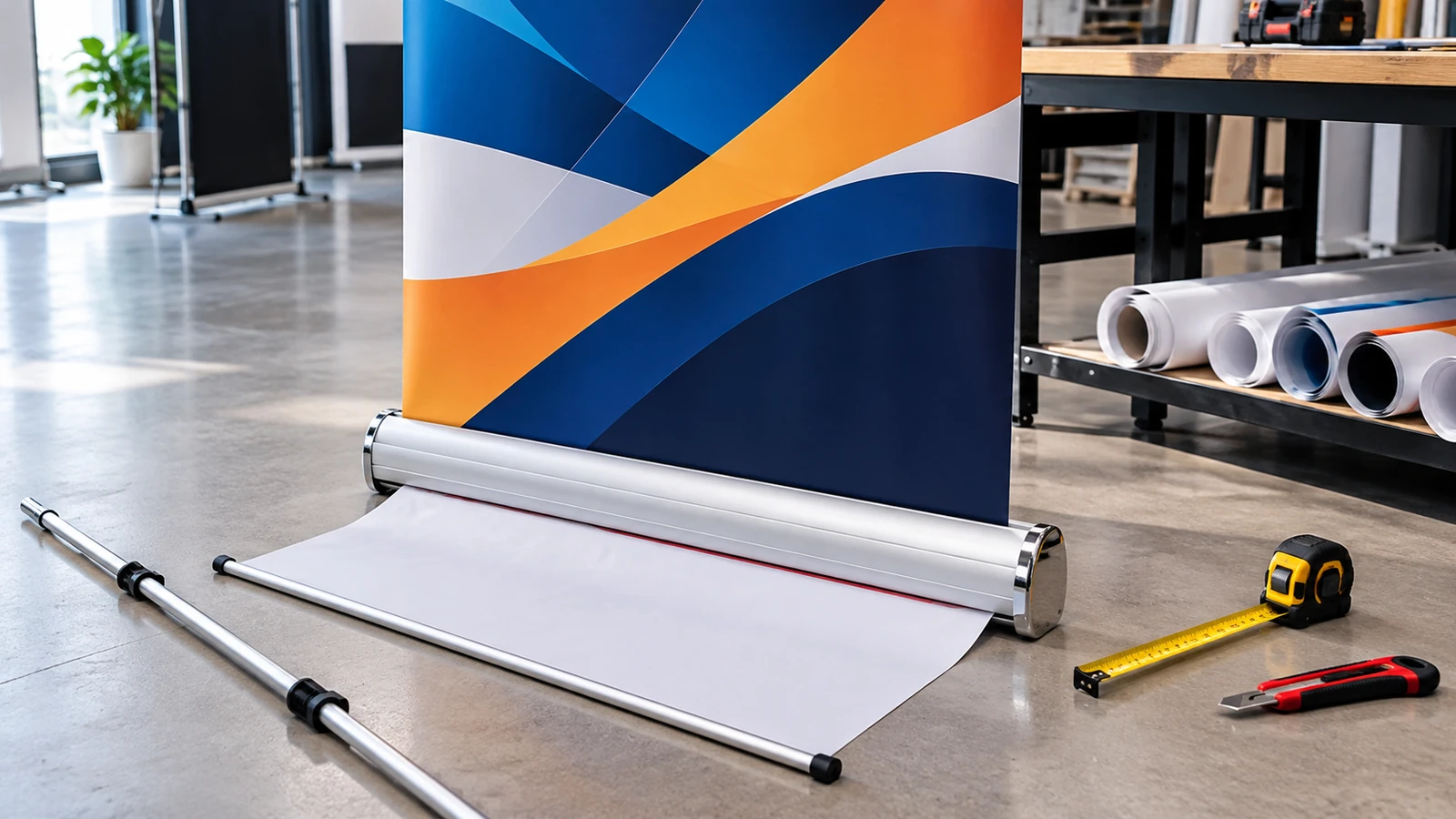
The cassette hides part of the printed panel
A retractable banner works by storing the graphic inside a spring-loaded base. That means part of the printed material must remain attached below the visible face so the mechanism can hold and retract it. If the design uses the full artwork height for important information, the bottom line can vanish behind the cassette when the stand is assembled.
Different hardware systems can require different allowances, so avoid copying measurements from an old banner unless the same stand model is being reused. Ask for the current production template and visible height.
Build a real safe area, not just bleed
Bleed protects trimming; safe area protects content. These are different concepts. A background colour or photograph can extend into bleed, but a headline, logo, QR code or phone number should sit comfortably inside the visible panel. Side edges also deserve breathing room because the banner can curve slightly or sit imperfectly straight in the mechanism.
A useful layout leaves more space around critical content than a brochure would. Roll-up banners are viewed from farther away, so generous spacing improves both production safety and readability.
| Artwork zone | What belongs there | What to avoid |
|---|---|---|
| Top safe area | Logo / main headline | Content touching the top rail |
| Middle | Main message / product visual | Too many competing blocks |
| Lower visible area | Secondary detail / CTA | Tiny text or critical QR code |
| Cassette allowance | Background continuation only | Contact details / essential content |
Design for a standing viewer at distance
The top third typically carries the strongest identifying information because it stays near eye level. Mid-panel space is suitable for one clear message, product visual or short list. The bottom area should avoid dense small text because it is farther from the viewer and closer to the cassette.
If a QR code is included, make it large enough to scan without forcing people to crouch near the stand. Test the code from the actual expected viewing distance using multiple phones before sending the file to print.

Proof at final size or a reliable scale
Export a proof showing the visible area, safe guides and cassette allowance. If possible, view the artwork at full height on screen or print a reduced scale version where all dimensions remain proportional. This makes it easier to notice when the bottom feels crowded or the top margin is too tight.
Do not rely on a social-media-sized preview. A banner is a physical display object with hardware, viewing distance and floor-level constraints that a small screen mock-up hides.
Keep the stand model with the artwork record
For repeat campaigns, record the stand model or supplier template used for the original job. If the business later reuses the hardware with new graphics, production can confirm whether the replacement panel fits the cassette and top rail.
This turns the banner from a one-off print into a controlled display system. The artwork, hardware and visible dimensions should be treated as one specification.
The printed panel is larger than the advertising area; design to the visible banner, not the raw sheet.
Frequently Asked Questions
Can I reuse old roll-up banner artwork on a new stand?+
Only after checking the new stand template and visible size. Hardware allowances can differ.
Is bleed the same as the cassette allowance?+
No. Bleed is for trimming; cassette allowance is material hidden or held by the mechanism.
Where should a QR code go?+
Place it within the visible safe area at a comfortable scanning height and test it at real distance.
Preparing Roll-Up Banner Artwork?
JCP can confirm the display size and production template before your artwork is released for printing.